
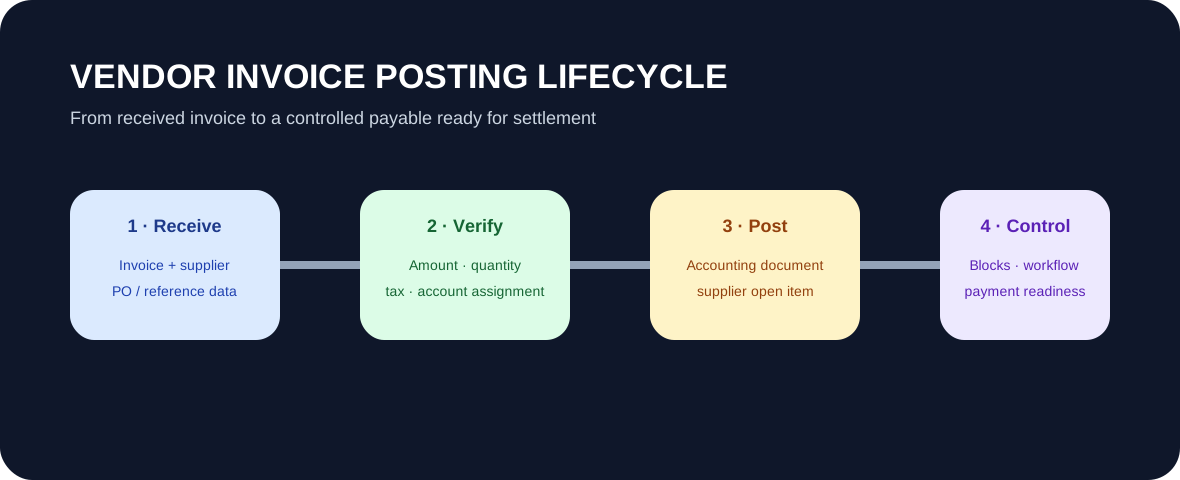
In SAP FI, the vendor invoice posting lifecycle normally starts with receiving the invoice and identifying its business reference. The invoice is checked for supplier, amount, tax, account assignment and, where relevant, purchase-order and goods-receipt information. When posted, SAP creates the accounting impact and an open supplier item. Any block or workflow exception must then be resolved before the item is ready for payment.
The lifecycle starts before posting
An invoice is not only a debit-and-credit entry. The business needs confidence that the supplier is correct, the obligation exists and the amount belongs to the right purchase, expense, asset or other account assignment. SAP Learning distinguishes invoices connected to procurement from invoices entered directly in Financial Accounting.
PO and non-PO invoices use different evidence
A PO-based invoice can use purchasing and goods-receipt information to support verification. A non-PO invoice needs the user to supply the necessary accounting details directly. In both cases, the objective is to create the intended accounting result while preserving the business control.
Posting creates the liability
SAP Learning explains that posting a supplier invoice creates an invoice document and an accounting document. From the FI perspective, the supplier side becomes an open payable while the offset depends on the business event, such as expense, inventory, asset or GR/IR-related accounting.
Posted does not always mean payment-ready
Payment blocks, approval workflows and other exceptions can remain after posting. Teams should therefore distinguish between a posted supplier liability and an item that is eligible for payment.
Consultant checks
Test normal and exception paths: PO and non-PO invoices, quantity or price differences, tax handling, account assignment, duplicate-invoice controls, payment blocks, approvals and eventual clearing. The goal is that the process produces the intended accounting and control outcome.
Continue with Supplier Business Partner Master Data, Supplier Reconciliation Accounts, Open Item Management, and the SAP FI / FICO hub.