
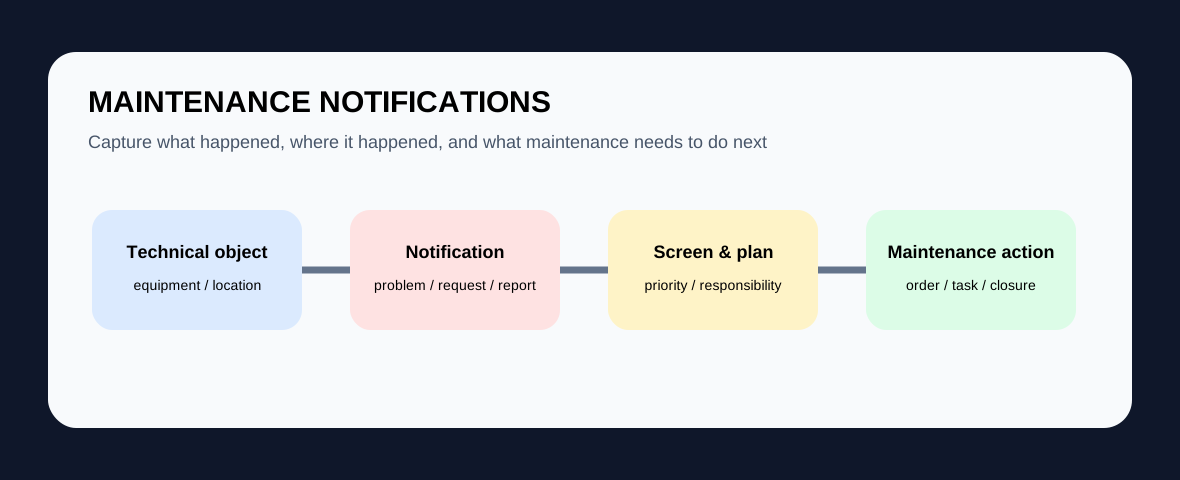
In SAP EAM / PM, a maintenance notification records a maintenance-relevant event, problem, request or completed activity and ties it to the information needed for follow-up. Depending on the process and system version, teams can capture the technical object, priority, dates, malfunction details, tasks, activities, responsible people and attachments, then screen or assign the notification and create or link a maintenance order when executable work is required.
Why notifications exist before orders
A report from the field does not always contain enough information to schedule work immediately. The notification provides a structured intake record so the organization can understand what was observed, which equipment or functional location is affected, how urgent it is, and whether a maintenance order is actually needed.
Different notification intents lead to different handling
SAP documentation distinguishes notifications that describe malfunctions or exceptional technical situations, requests for maintenance activity, and records of work performed. The intent matters because a breakdown report needs different screening from a non-malfunction request such as an improvement or replacement activity.
What consultants should design carefully
Agree which notification types are used, which fields are mandatory, how priority is determined, who screens requests, and when a notification should create or join a maintenance order. Catalogs and coding can improve analysis, but only when users understand the definitions and capture data consistently.
What good testing looks like
Test a real malfunction, a non-malfunction maintenance request, a low-priority observation, an urgent breakdown, a notification with missing information, and the handoff into an existing or new maintenance order. Confirm that responsibilities, statuses, due dates, attachments and history remain understandable to someone who did not create the original report.
Continue with Measuring Points and Counters, Maintenance Plans, Maintenance Strategies and the SAP EAM / PM hub.